
How to complete your
pre-qualification application
Follow these simple steps to fill out your application correctly and get your pre-approval certificate fast.
- 1
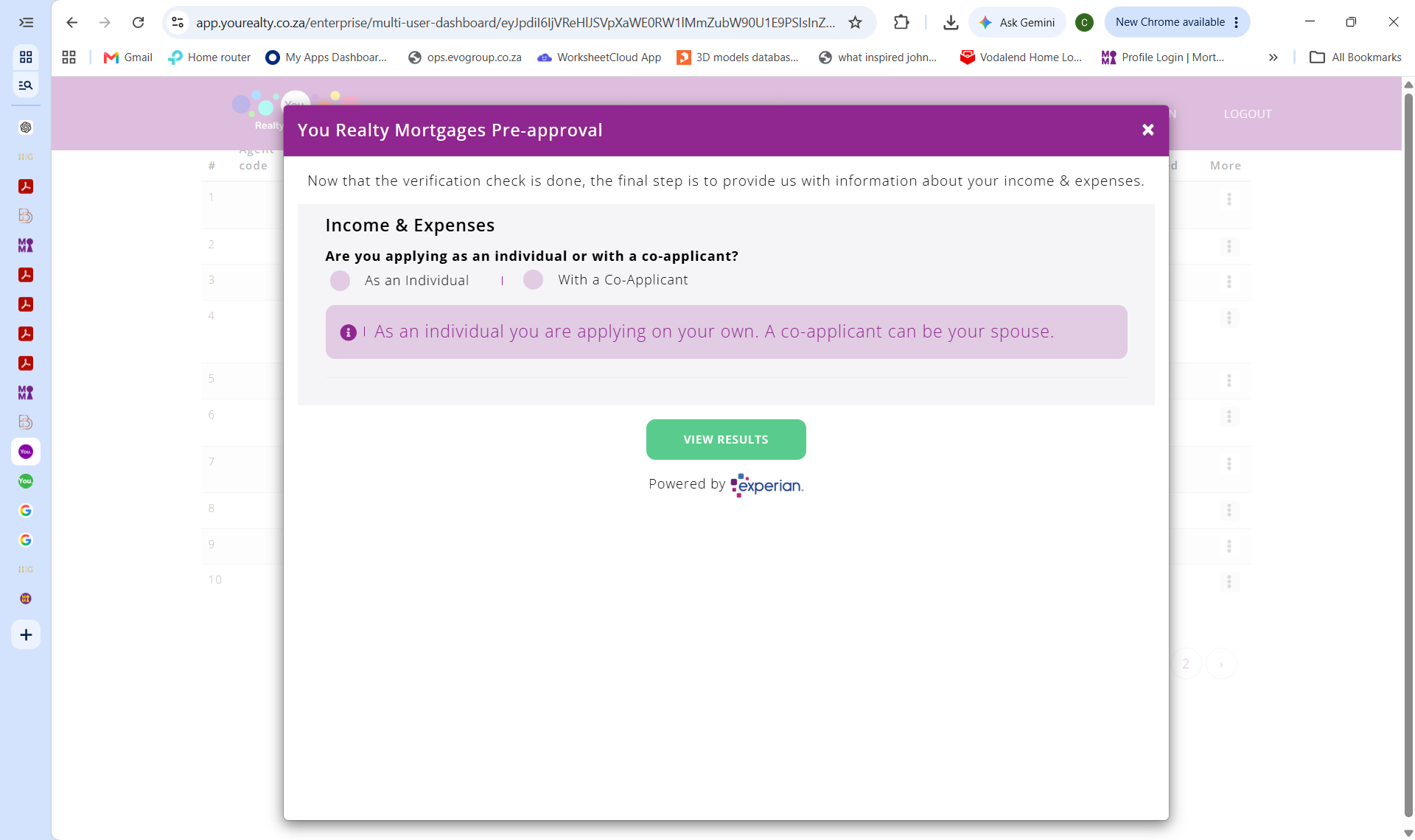
Choose your application type
Select whether you are applying as an individual or jointly with a co-applicant (such as a spouse).
As an individual you are applying on your own. A co-applicant can be your spouse.
- 2
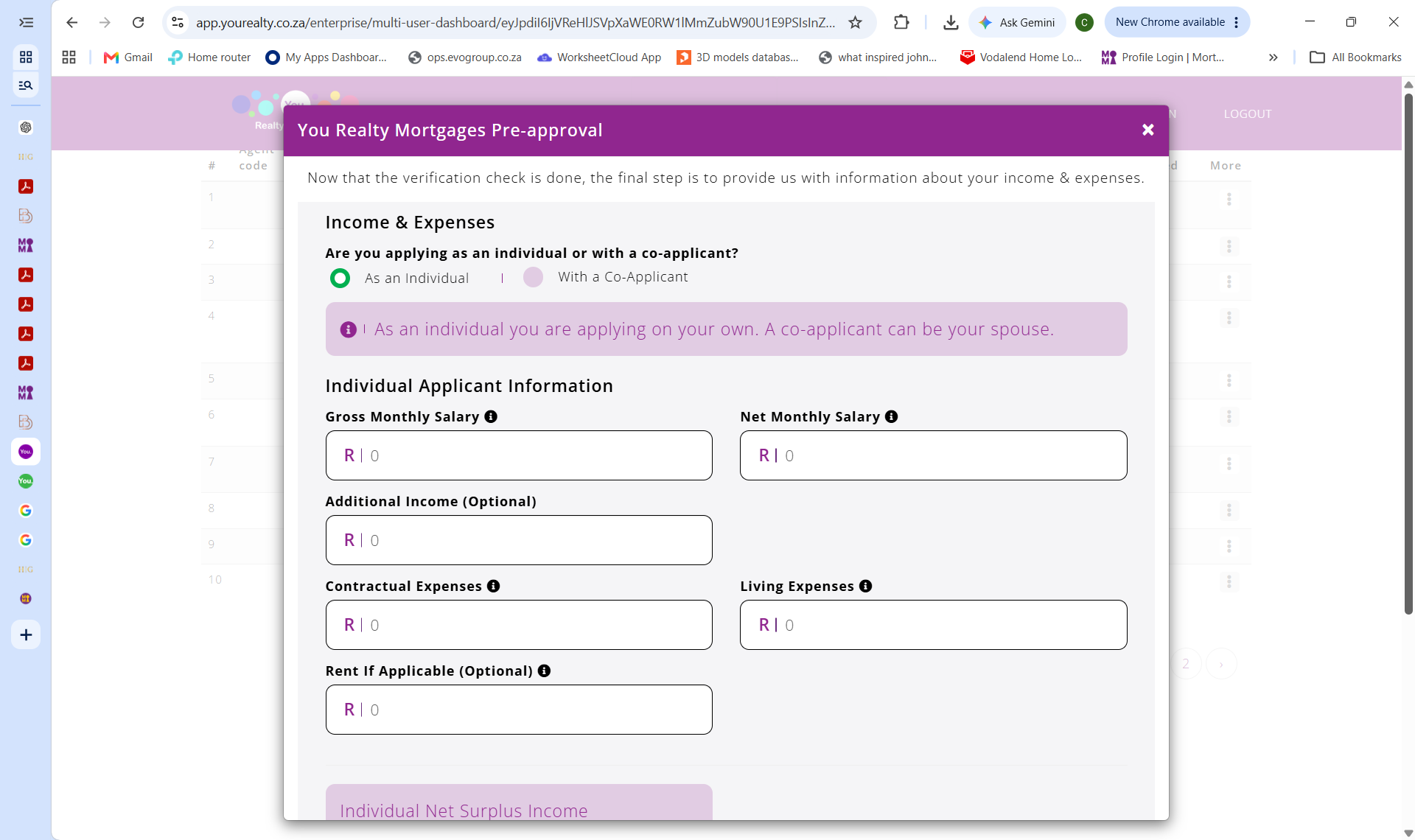
Enter your income and expenses
Fill in your gross monthly salary, net monthly salary, any additional income, and your living expenses. This helps us calculate what you can afford.
- 3
Important: Contractual Expenses
Do NOT fill in your contractual (debt) expenses manually. Simply enter R1 in this field — the system pulls your actual contractual obligations directly from Experian.
Important: Enter only
R1for Contractual Expenses — this data is pulled automatically from Experian.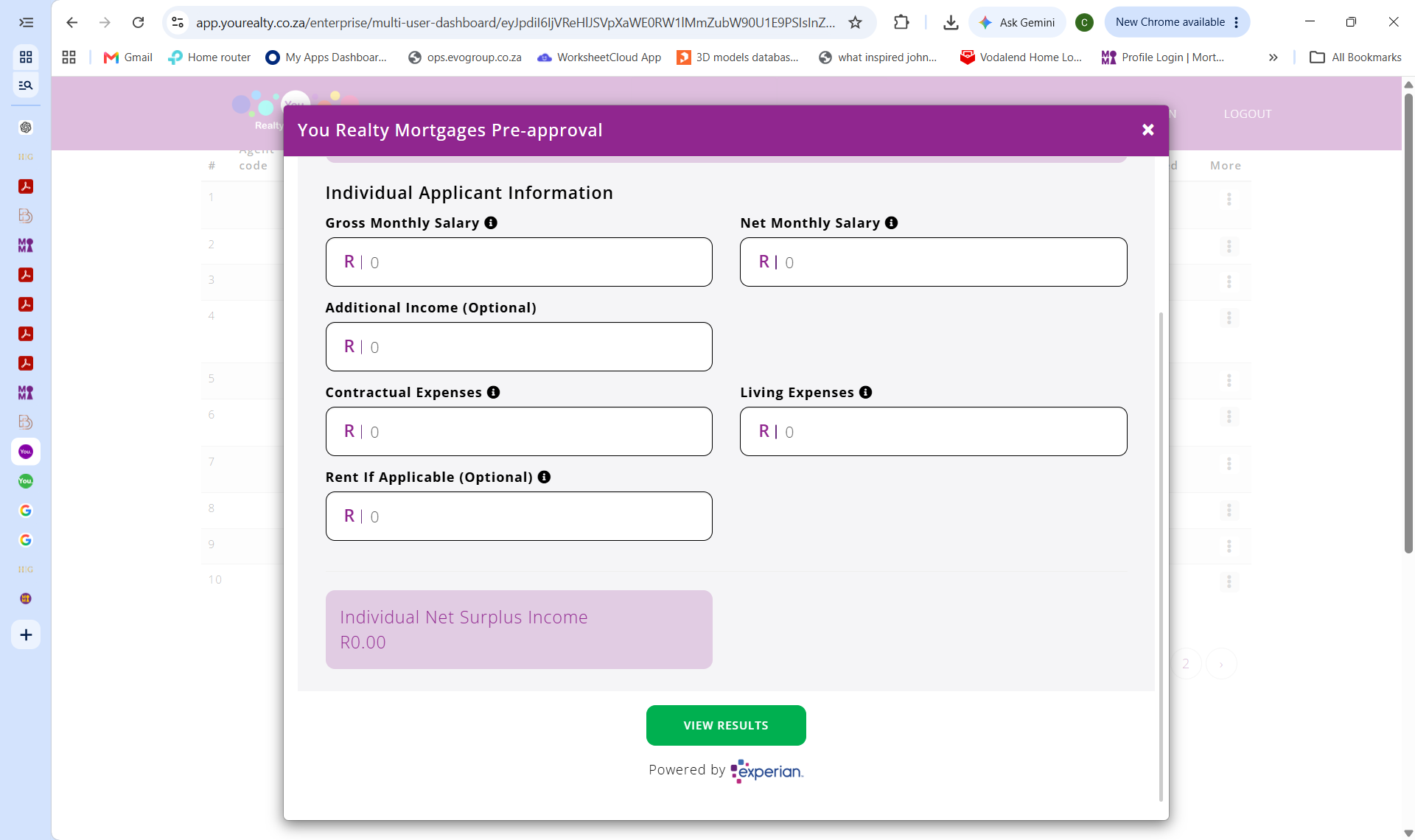
- 4
View your results
Click the green "VIEW RESULTS" button to generate your pre-approval certificate instantly.
Ready to start?
Complete your application now and get your pre-approval certificate in minutes.
Get pre-qualified free